Nano Banana Pro 开发者完全教程
作者:Google AI Studio
来源:https://x.com/GoogleAIStudio/status/1992267030050083091
探索这一下一代 AI 模型的高级功能——包括思考能力、搜索增强(search grounding)以及惊艳的 4K 输出——将如何赋能你构建复杂且富有创意的应用程序。
虽然 Flash 模型(Nano Banana)带来了速度和经济性,但 Pro 版本引入了“思考”能力、搜索增强和高保真 4K 输出。是时候用它来完成那些复杂的创意任务了!
本指南将带你通过 Gemini Developer API 了解 Nano Banana Pro 的高级功能。
本指南将涵盖:
- 在 Google AI Studio 中使用 Nano Banana Pro
- 项目设置
- 初始化客户端
- 基础生成(经典用法)
- “思考”过程
- 搜索增强(Search Grounding)
- 高分辨率 4K 生成
- 多语言能力
- 高级图像混合
- Pro 专属演示
- 最佳实践和提示词技巧
注意:如需本文的交互式版本,请查看 Python Cookbook 或 AI Studio 的 Javascript Notebook。
1. 在 Google AI Studio 中使用 Nano Banana Pro
虽然终端用户可以在 Gemini 应用 中访问 Nano Banana Pro,但对于开发者来说,原型设计和测试提示词的最佳环境是 Google AI Studio。AI Studio 是一个游乐场,在编写任何代码之前,你可以在这里试验所有可用的 AI 模型,它也是使用 Gemini API 构建应用的入口。
你可以在 AI Studio 中使用 Nano Banana Pro。要开始使用,请访问 aistudio.google.com,使用你的 Google 账号登录,并从模型选择器中选择 Nano Banana Pro (Gemini 3 Pro Image)。
与 Nano-Banana 不同,Pro 版本没有免费层级,这意味着你需要选择一个已启用计费的 API 密钥(请参阅下面的“项目设置”部分)。
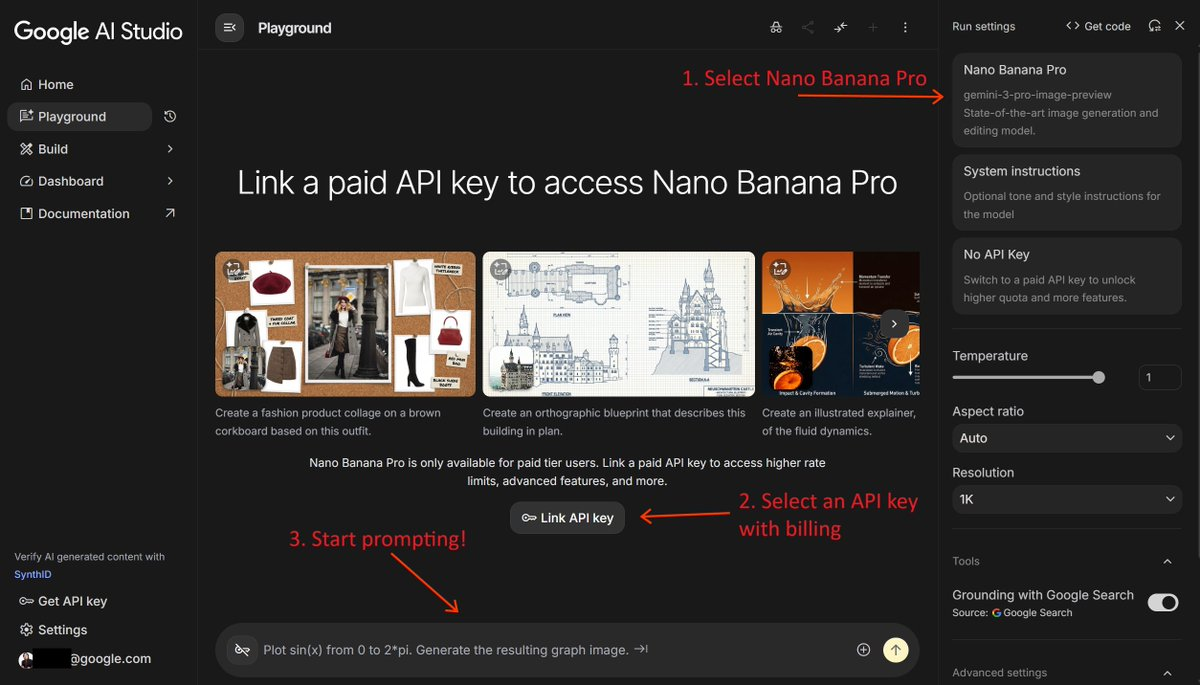
提示:你也可以在 AI Studio 的 ai.studio/apps 直接编写 Nano Banana Web 应用的代码(vibe code),或者浏览代码并基于现有的 示例应用 进行改编。
2. 项目设置
要遵循本指南,你需要以下内容:
- 一个来自 Google AI Studio 的 API 密钥。
- 为你的项目设置计费。
- 适用于 Python 或 JavaScript/TypeScript 的 Google Gen AI SDK。
如果你已经是 Gemini API 的重度用户并拥有上述所有条件,太棒了!直接跳过本节进入下一部分。否则,请按以下步骤开始:
步骤 A:获取你的 API 密钥
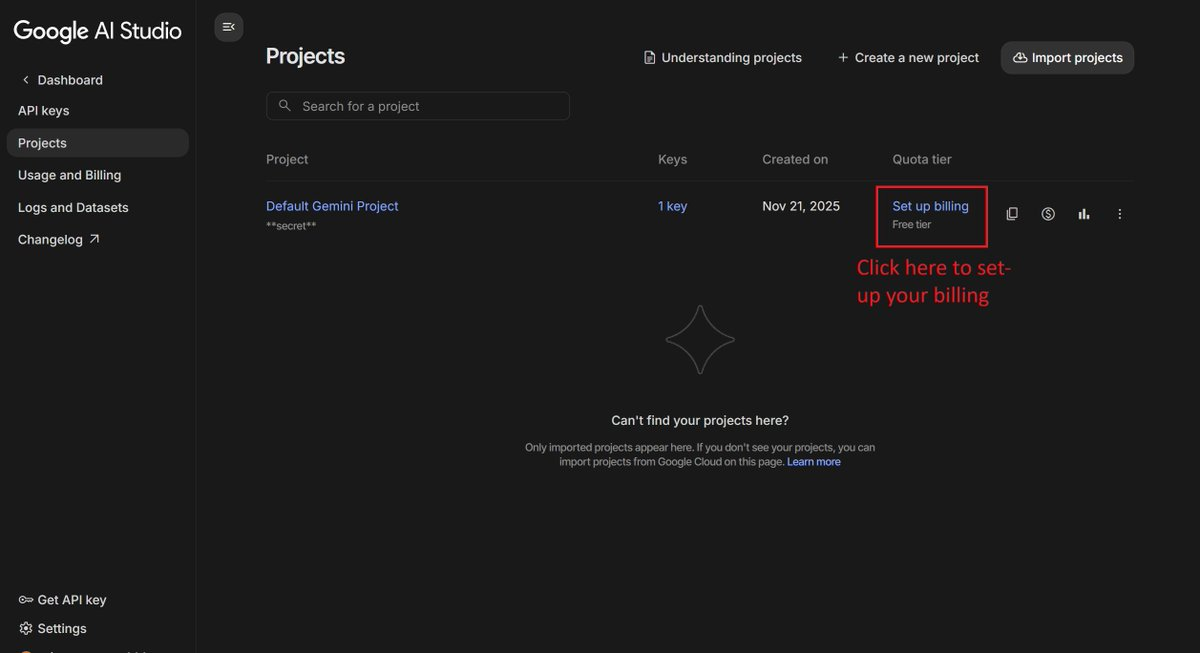
当你首次登录 AI Studio 时,应该会自动创建一个 Google Cloud 项目和一个 API 密钥。
打开 API 密钥管理屏幕,点击“复制”图标以复制你的 API 密钥。
步骤 B:启用计费
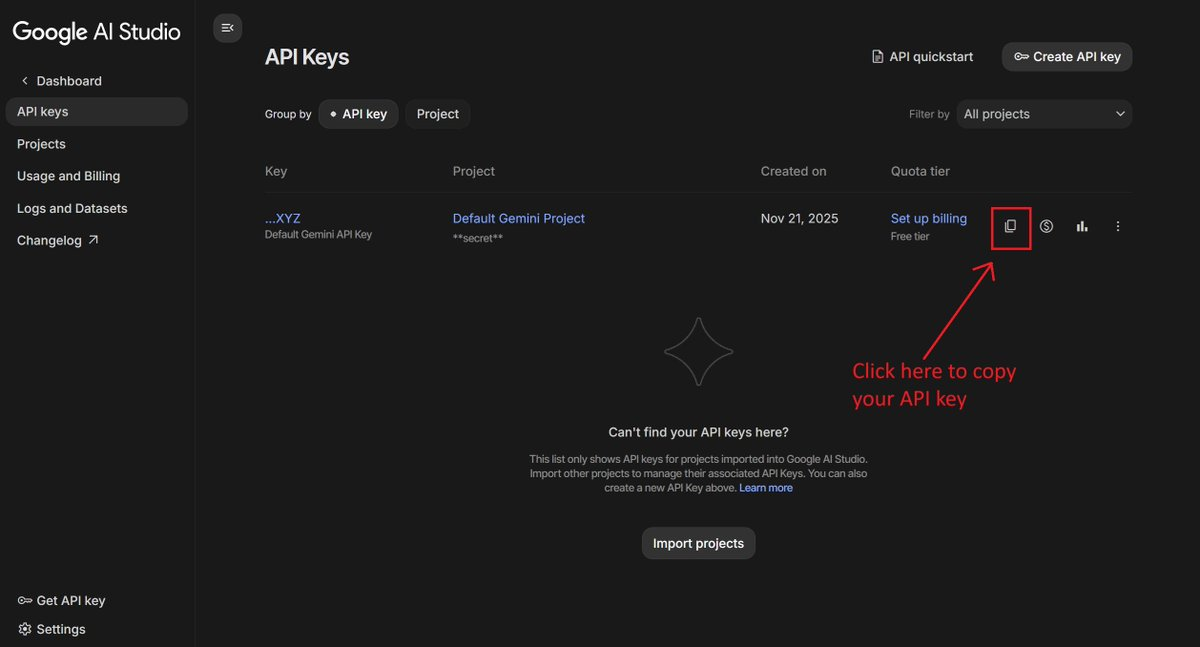
由于 Nano Banana Pro 没有免费层级。你必须在你的 Google Cloud 项目上启用计费。
在 API 密钥管理屏幕 中,点击项目旁边的“设置计费(Set up billing)”,并按照屏幕上的说明进行操作。
Nano Banana Pro 的费用是多少?
使用 Nano Banana Pro 生成图像比 Flash 版本更昂贵,尤其是 4K 图像。在本文发布时,一张 1K 或 2K 图像的费用为 $0.134,而 4K 图像的费用为 $0.24(外加输入和文本输出的 token 成本)。
请查看文档中的 定价 以获取最新详情。
专业提示:为了节省 50% 的生成成本,你可以使用 Batch API。作为交换,你可能需要等待最多 24 小时才能获取图像。
步骤 C:安装 SDK
选择你偏好语言的 SDK。
Python:
1 | pip install -U google-genai |
JavaScript / TypeScript:
1 | npm install @google/genai |
注意:以下示例使用 Python SDK 进行演示。这个 JS Notebook 中提供了使用 Nano Banana 的等效 JavaScript 代码片段。
3. 初始化客户端
要使用 Pro 模型,你需要使用 gemini-3-pro-image-preview 模型 ID。
1 | from google import genai |
4. 基础生成(经典用法)
在进入高级功能之前,让我们先看看标准的生成方式。你可以使用 response_modalities(获取文本和图像或仅图像)和 aspect_ratio(纵横比)来控制输出。
1 | prompt = "Create a photorealistic image of a siamese cat with a green left eye and a blue right one" |

聊天模式也是一个选项(实际上这是我在进行多轮编辑时推荐的模式)。请查看第 8 个示例“多语言 Banana(Polyglot Banana)”以获取示例。
5. “思考”过程
Nano Banana Pro 不仅仅是在绘画;它在思考。这意味着在生成图像之前,它可以推理你那些最复杂、最刁钻的提示词。最棒的是什么?你可以窥探它的思维过程!
要启用此功能,请在 thinking_config 中设置 include_thoughts=True。
1 | prompt = "Create an unusual but realistic image that might go viral" |
你应该会得到类似这样的输出:
1 | # Imagining Llama Commuters |
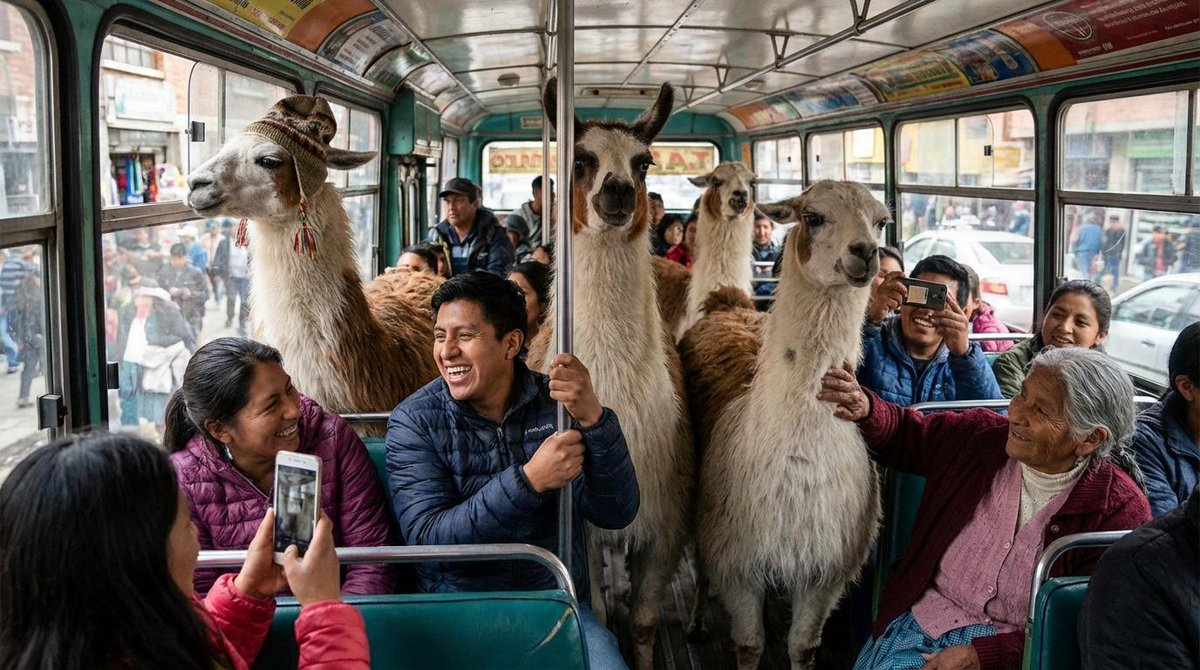
这种透明度有助于你理解模型是如何解释你的请求的。这就像是在和你的艺术家进行对话!
6. 搜索增强(实时魔法)
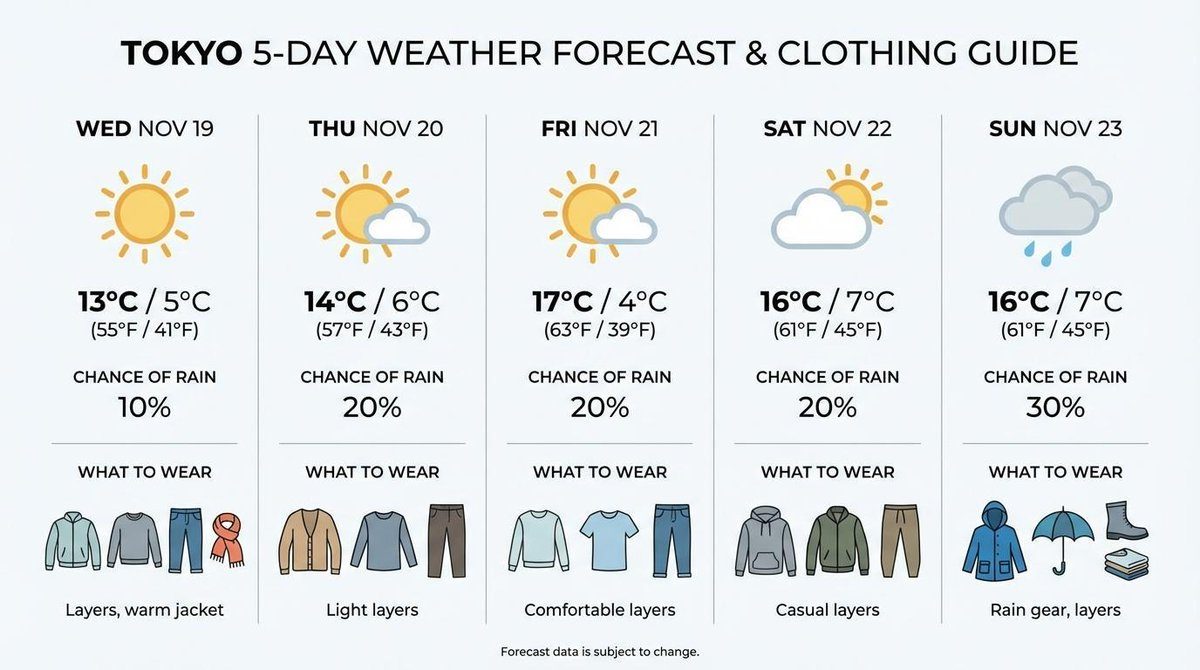
最具颠覆性的功能之一是 搜索增强 (Search Grounding)。Nano Banana Pro 不会被困在过去;它可以访问来自 Google 搜索的实时数据,生成准确、最新的图像。想要天气预报?没问题。
例如,你可以要求它可视化当前的天气预报:
1 | prompt = "Visualize the current weather forecast for the next 5 days in Tokyo as a clean, modern weather chart. add a visual on what i should wear each day" |
7. 要么做大要么回家:4K 生成
需要打印级质量的图像?Nano Banana Pro 支持 4K 分辨率。因为有时候,大就是好。
1 | prompt = "A photo of an oak tree experiencing every season" |

注意:4K 生成成本更高,请明智使用!
8. 多语言 Banana(多语言能力)
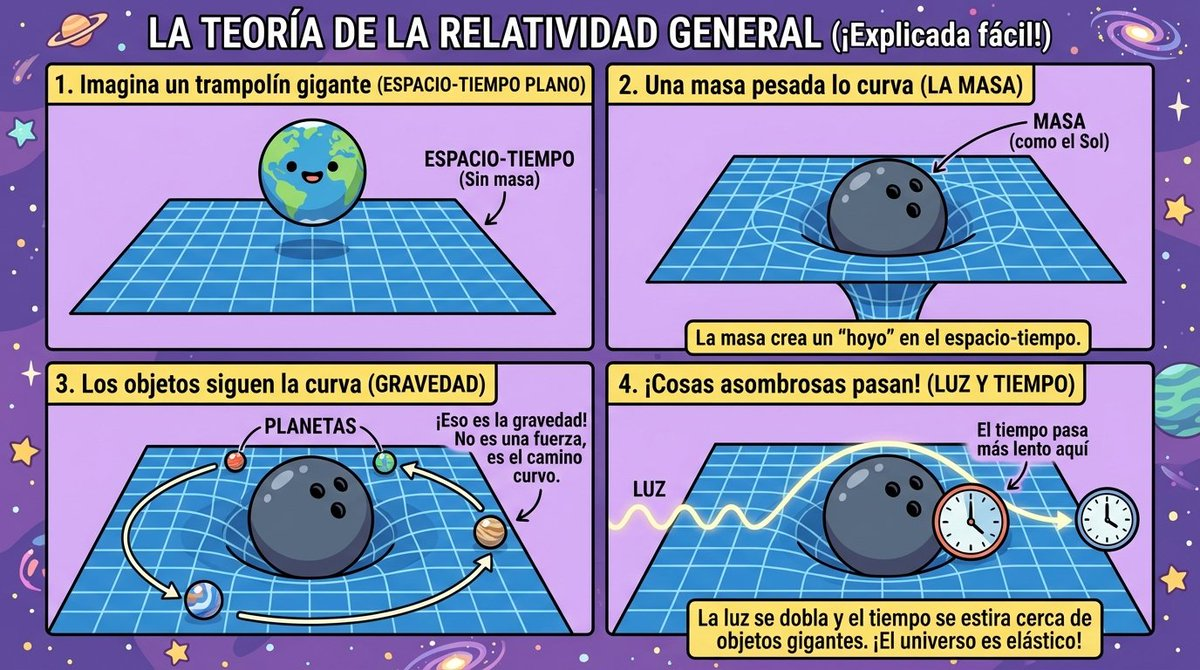
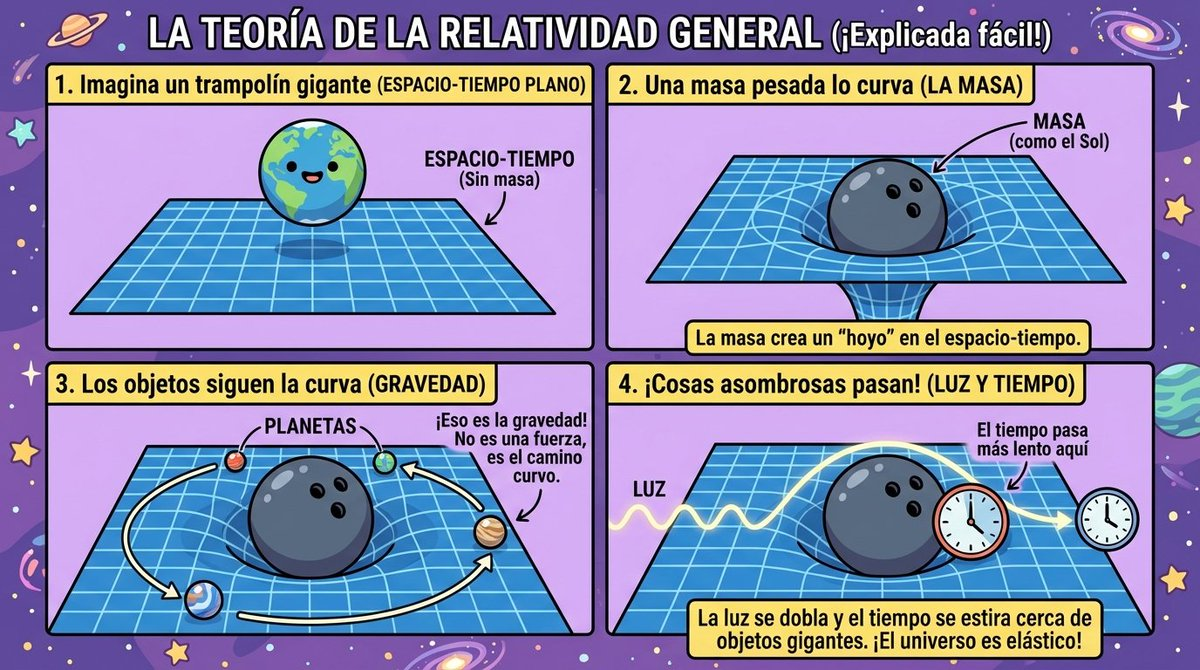
该模型可以生成甚至翻译十几种语言的图像内文本。这基本上就是你眼睛的通用翻译器。
1 | # Generate an infographic in Spanish |
1 | # Translate it to Japanese |
9. 混合起来!(高级图像混合)
虽然 Flash 模型最多可以混合 3 张图像,但 Pro 模型最多可以处理 14 张图像!这简直是一个提示词里的狂欢。非常适合创建复杂的拼贴画或展示你的整个产品线。
1 | # Mix multiple images |
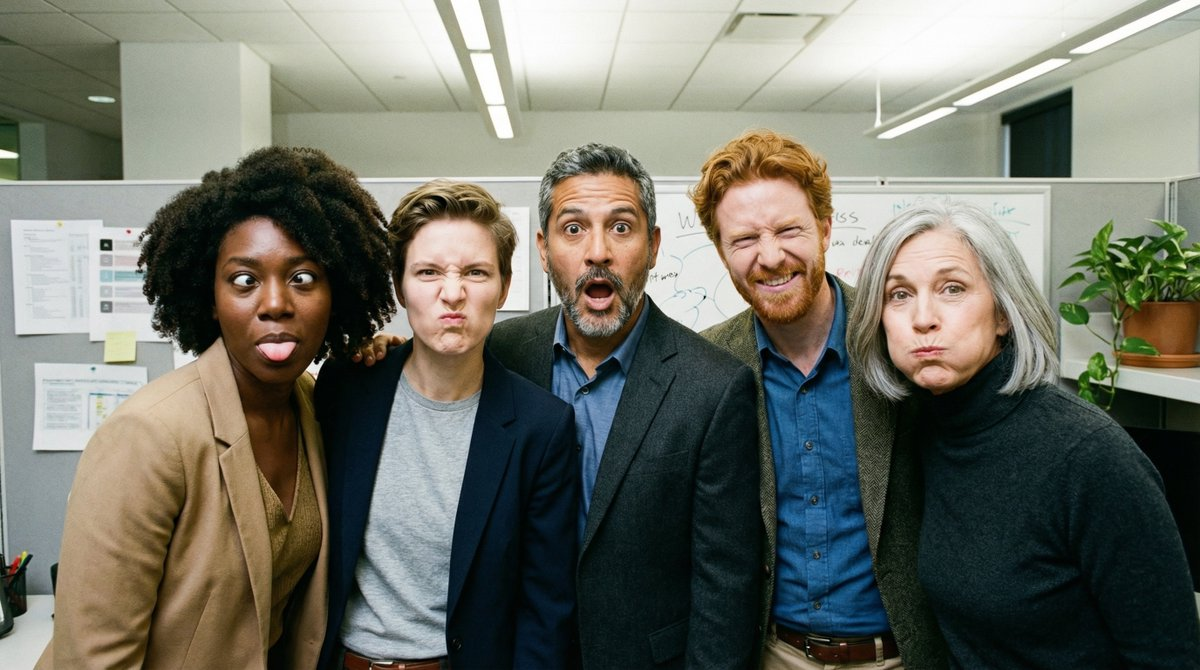
注意:如果你希望角色具有非常高的保真度,建议限制在 5 个以内,对于一个派对之夜来说这已经足够多了!
10. 展示时间!(Pro 专属演示)
这里有一些只有使用 Nano Banana Pro 才能实现的示例。准备好大吃一惊吧:
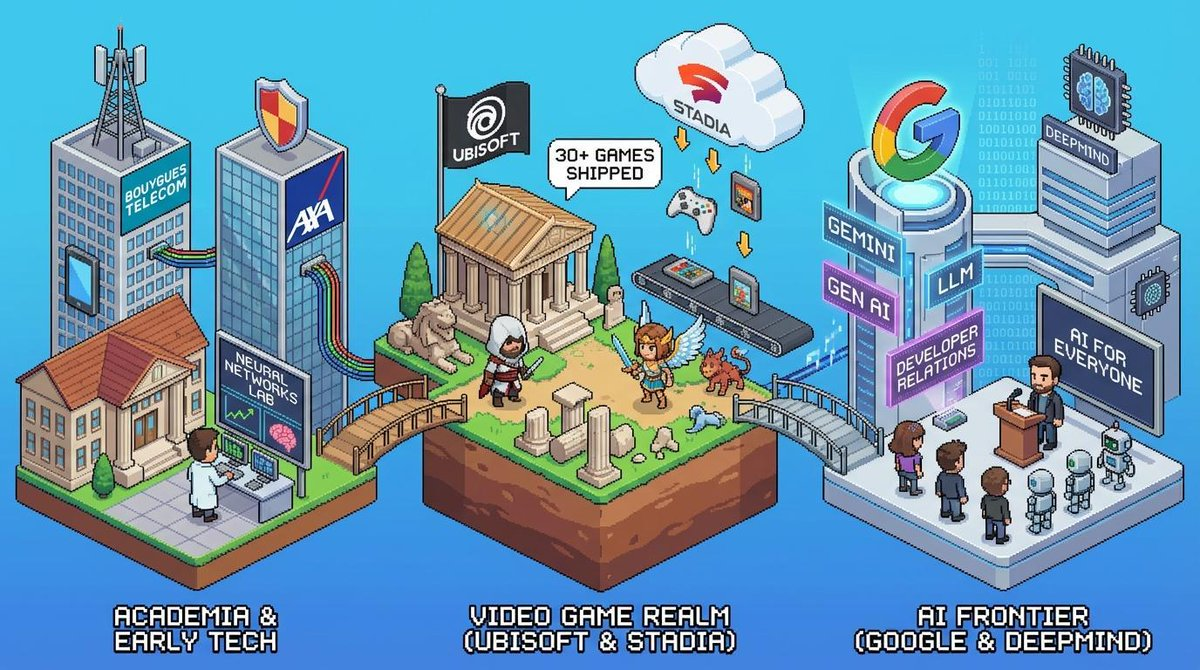
个性化像素艺术(搜索增强)
提示词: “Search the web then generate an image of isometric perspective, detailed pixel art that shows the career of Guillaume Vernade”
这利用了搜索增强来查找关于某个人的具体信息,并以特定的风格将其可视化。
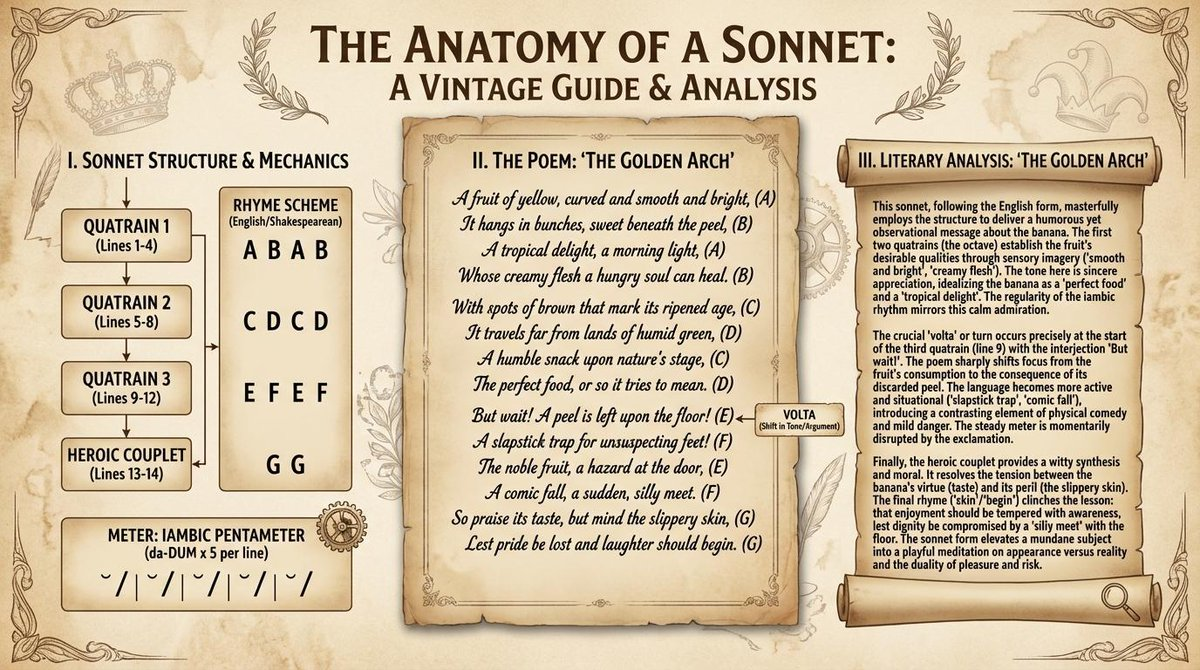
复杂文本集成
提示词: “Show me an infographic about how sonnets work, using a sonnet about bananas written in it, along with a lengthy literary analysis of the poem. Good vintage aesthetics”
该模型可以生成连贯、长篇的文本,并将其完美地集成到复杂的布局中。
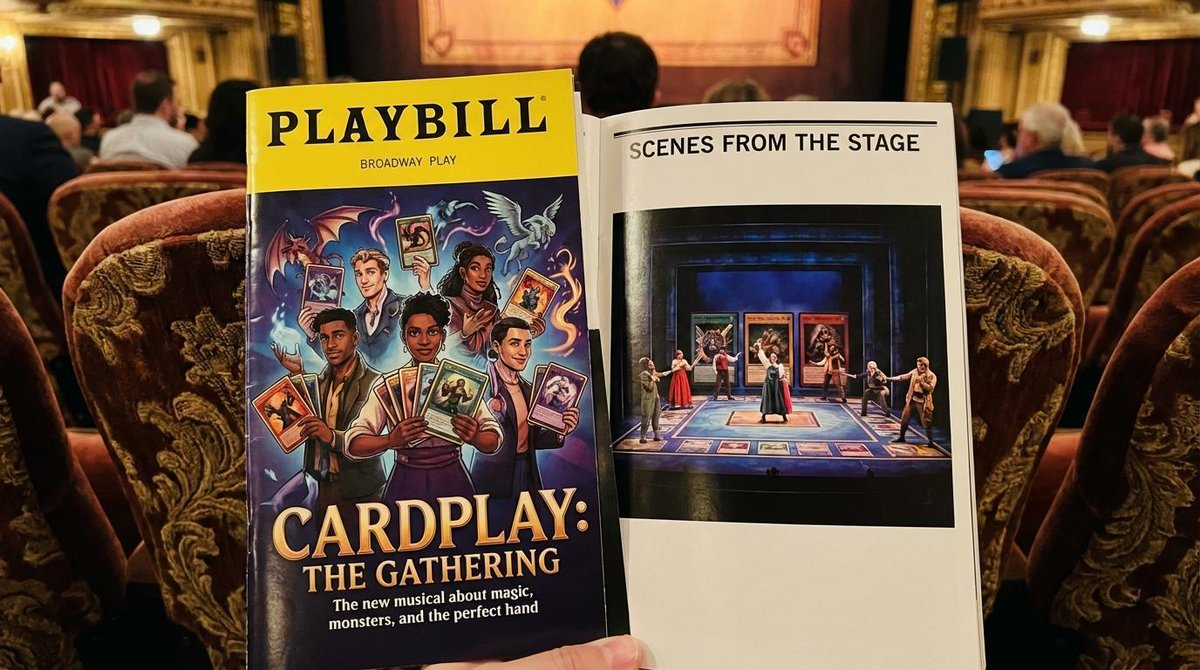
高保真模型图
提示词: “A photo of a program for the Broadway show about TCG players on a nice theater seat, it’s professional and well made, glossy, we can see the cover and a page showing a photo of the stage.”
创建具有准确光照和纹理的照片级逼真的印刷品模型图。
11. Nano Banana 和 Nano Banana Pro 的最佳实践和提示词技巧
为了通过 Nano Banana 模型获得最佳效果,请遵循以下提示词指南:
- 极度具体:你提供的主体、颜色、光照和构图的细节越多,你对输出的控制就越强。
- 提供背景和意图:解释图像的目的或想要的情绪。模型对背景的理解将影响其创意选择。
- 迭代和完善:不要期望第一次尝试就完美。利用模型的对话能力进行增量修改并完善你的图像。
- 使用分步说明:对于复杂的场景,将你的提示词分解为一系列清晰、连续的指令。
- 使用正面描述:与其使用像“没有汽车”这样的负面提示,不如从正面描述所需的场景:“一条空荡荡、荒凉的街道,没有任何交通迹象。”
- 控制相机:使用摄影和电影术语来指导构图,例如“广角镜头”、“微距镜头”或“低角度透视”。
- 利用搜索增强:当你想要模型使用实时或现实世界的数据时,要非常精确。“搜索网络关于上一次里昂奥林匹克队(Olympic Lyonnais)的比赛并制作一张信息图”比仅仅说“一张 OL 上一场比赛的信息图”效果更好(虽然后者可能也行,但不要冒险)。
- 使用 Batch API 降低成本并获得更多配额:Batch API 是一种一起发送少量或大量请求的方法。它们可能需要长达 24 小时来处理,但作为交换,你可以节省 50% 的生成成本。而且配额也更高!
如需深入了解最佳实践,请查阅文档中的 提示词指南 以及官方博客上发布的 Nano Banana 提示词最佳实践。
总结
Nano Banana Pro (Gemini 3 Pro Image) 开启了 AI 图像生成的新前沿。凭借其思考、搜索和 4K 渲染能力,它是严肃创作者(以及追求极致乐趣者)的工具。
准备好尝试了吗?前往 Google AI Studio,试用或定制我们的 Apps,或者查看 cookbook。